
App Privacy Report
What your apps actually do. Not what they claim.
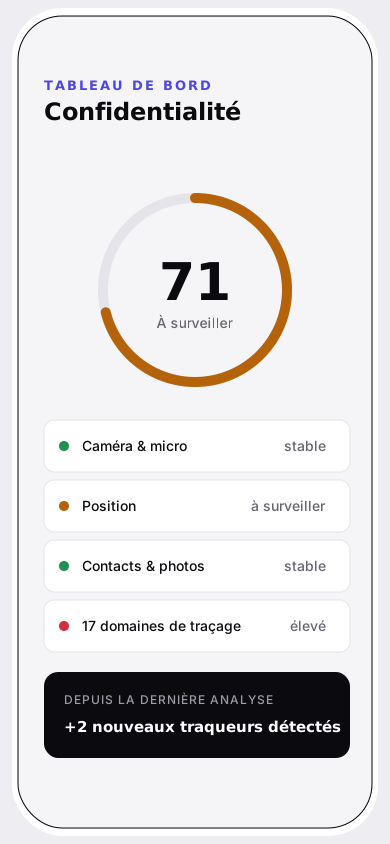
Vigil reads the App Privacy Report iOS already builds for you and turns it into one clear score per app: camera, microphone, location access, trackers contacted. No account, no server — everything stays on the iPhone.
- Source
.ndjsonexported from iOS- Processing
- On-device
- Transmitted
- Nothing
- Account
- None
01
Where the figures come from
iOS lets no app query another app's permissions. The only reliable source is the report the system already keeps, and that you can export yourself.
- 01
Turn it on, then export
Settings › Privacy & Security › App Privacy Report - 02
Open the file in Vigil
The .ndjson is read and analysed locally. Nothing is uploaded, no account is created.
- 03
Read the report
A global verdict, a score per app, and the detail of what was accessed — plus what changed since last time.
02
App inventory
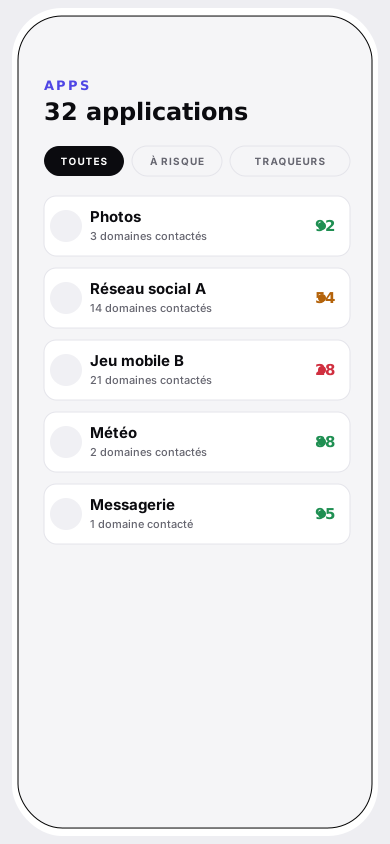
| App | Sensitive access | Domains | Score |
|---|---|---|---|
| Photos | Photos | 0 | 92 |
| Weather | Location | 3 | 88 |
| Social network A | Camera · Mic · Contacts | 18 | 54 |
| Mobile game B | Location · Photos | 41 | 28 |
Every row expands: access categories, times of day, domains contacted, and exactly which points were deducted.
03
The full scoring scale
Starting base100
- Camera, microphone, screen recordingper category used−10
- Location, contactsper category used−8
- Photosper category used−5
- Media libraryper category used−2
- Overnight accessbetween midnight and 6 a.m.−10
- Tracking domainsscaled by how many were contactedjusqu'à −40
- More than 30 domains contactedvolume penalty−5
No hidden weighting, no “proprietary score”. The whole calculation fits in seven lines, and for every app Vigil lists which points came off, and why.
- Under control
- Worth watching
- Over-exposed
04
What happens overnight
Camera, microphone or location access between midnight and 6 a.m. isn't abnormal in itself — it's simply the one nobody is awake to notice. Vigil flags it, and deducts points.
Shaded band: midnight – 6 a.m. Each mark is one sensitive access found in the report.
05
Domains contacted
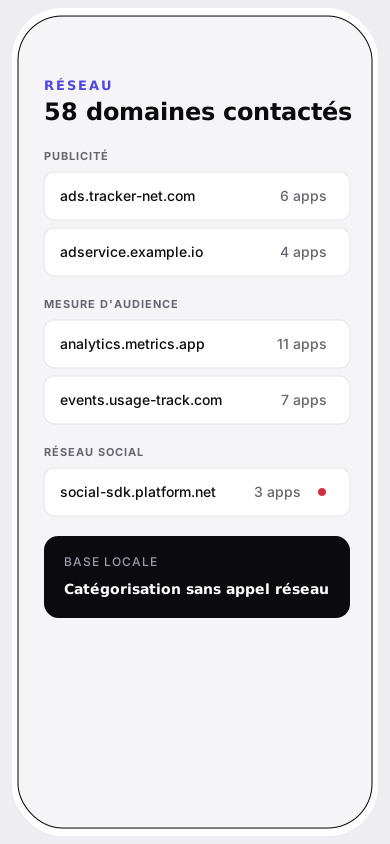
The tracker database ships inside the app: categorisation happens offline, without ever querying a third-party service.
Advertising22
- doubleclick.net · googlesyndication.com
- AppLovin
- applovin.com · applvn.com
- Criteo
- criteo.com · criteo.net
- Amazon Ads
- amazon-adsystem.com
Analytics16
- Google Analytics / Firebase
- app-measurement.com · crashlytics.com
- Amplitude
- amplitude.com
- Adobe Analytics
- omtrdc.net · demdex.net
- AT Internet / Piano
- xiti.com · aticdn.net
Social5
- Meta
- graph.facebook.com · connect.facebook.net
- TikTok
- tiktokv.com · byteoversea.com
- Snap
- tr.snapchat.com
Ad attribution6
- AppsFlyer
- appsflyer.com · appsflyersdk.com
- Adjust
- adjust.com · adj.st
- Branch
- branch.io · app.link
Excerpt. The database covers ad networks, analytics, social SDKs and attribution.
06
Passwords: what leaves, what stays
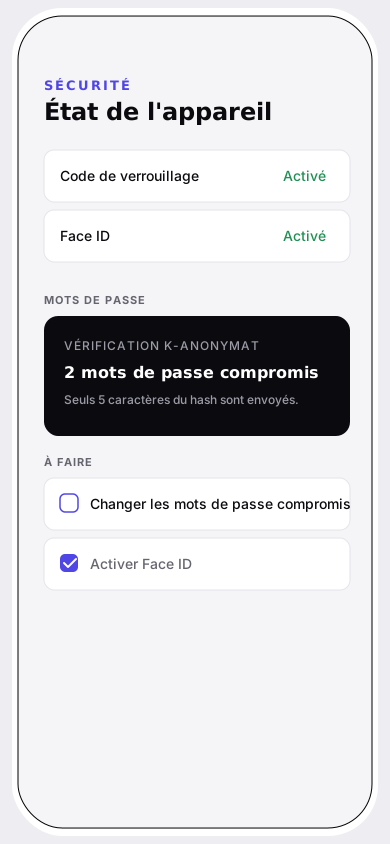
Vigil checks whether a password appears in a known breach, via Have I Been Pwned, using k-anonymity. In practice: the password is hashed on the iPhone, and only the first five characters of that hash are sent.
The service returns every hash starting with those five characters; the final comparison happens on-device. The password itself never leaves the iPhone.
21BD10DC1F2D0AF1F4B4C5C4F1A0E1C5E3D7A9B2
- 5 characters sent
- Never leaves the device
07
Plates
Take a look, for once.
The export takes thirty seconds in iOS Settings. Vigil handles the rest, on the device.
Download on the App StoreNo data left the device while this report was produced.
Vigil isn't on the App Store yet — first reviews will show up here at launch.